🔒 Your code never leaves your machine for training  ·  Local-first architecture  ·  TLS encrypted  ·  Coming soon — join the waitlist
Coming Soon

AI assistance built
around your game,
not around AI

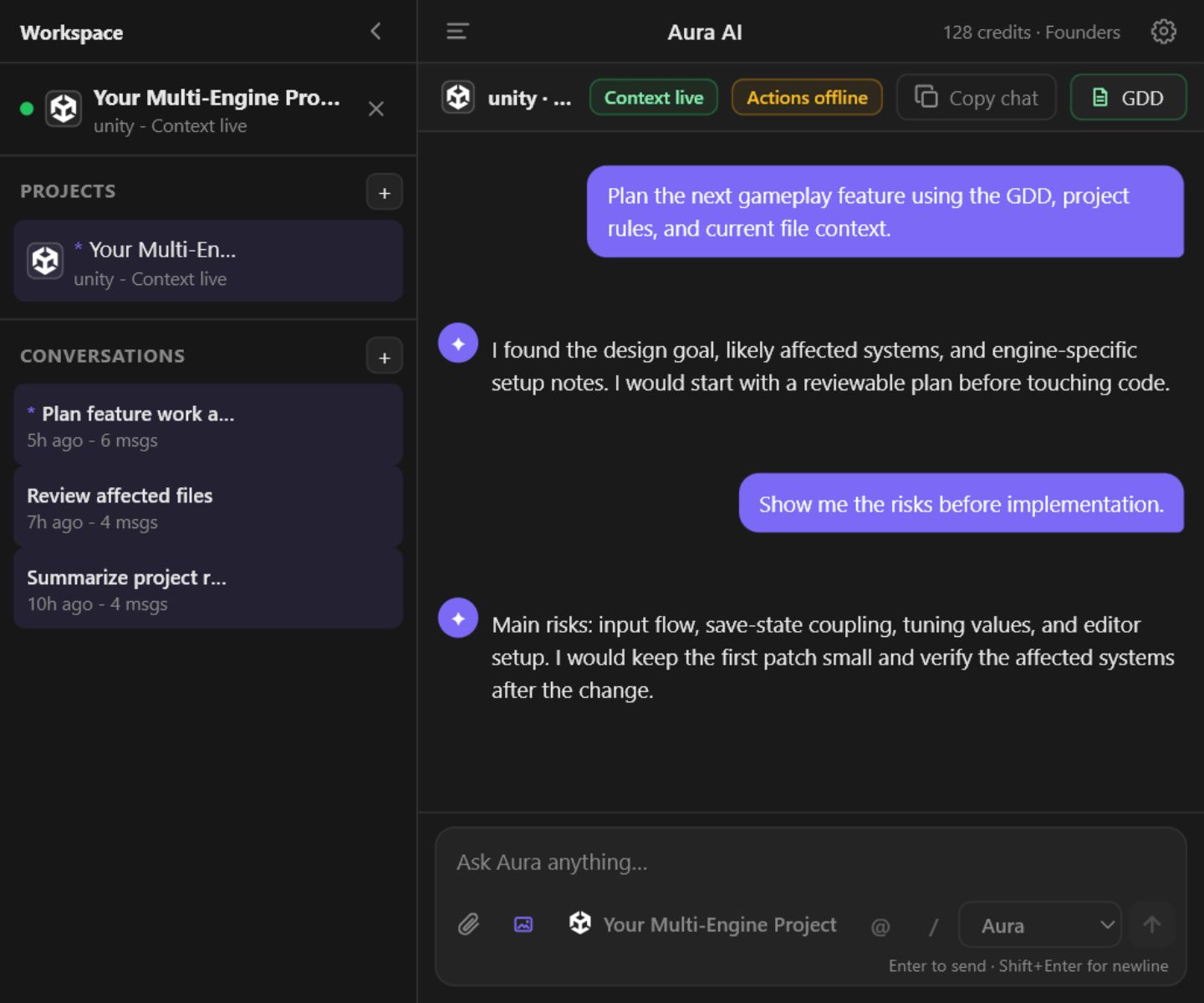
Most AI tools write code the way the internet writes code; generic patterns that fight your architecture. Aura indexes your GDD, maps your codebase, and follows rules you set. Every suggestion fits your project because it has to.

We're putting the finishing touches on it. Drop your email below and you'll be the first to know when we launch.

Aura AI
You
My EnemyController.cs is not respecting the patrol radius I defined in the GDD.
Aura

Simple setup

Up and running in minutes

1

Install Aura AI

Download the Hub for Windows or macOS. It runs locally in the background. No cloud dependency, no latency.

2

Connect your editor

Aura AI auto-installs plugins for Unity, Godot 4, Unreal Engine, VS Code, Visual Studio 2022, and JetBrains Rider. No marketplace trips required.

3

Start building

Ask Aura to write, refactor, or build. It already knows your GDD, your architecture, and your rules. So what it produces actually fits what you're making.

Capabilities

Built for the real complexity of game dev

Code that fits your project, not a template

Aura isn't a generic code generator. It understands your existing architecture — class hierarchies, patterns, naming conventions — and gives you suggestions that actually fit your project, whether you're writing C#, GDScript, or C++.

  • Inline refactors grounded in your actual class hierarchy and patterns
  • Root-cause debugging — paste a console error, get a targeted fix
  • Code Intelligence scans your scripts every 30 seconds and flags anti-patterns before they become bugs
  • Project Rules: write once, Aura follows them in every response, forever
EnemyController.cs — Aura suggestion
- patrolRadius = 5f;
+ patrolRadius = enemyData.patrolRadius;
↳ Reads from EnemyScriptableObject,
  consistent with PlayerController pattern.

Your scene spec, executed exactly as written

Describe a scene change and Aura executes it step by step inside your engine. Creating GameObjects, attaching components, and saving prefabs. Exactly as you specified. You see every step before it runs. You can stop at any point. And because every action goes through Unity's native Undo, nothing it does can't be instantly reversed.

  • Plan Mode executes multi-step builds step by step. You review the full plan before anything runs
  • 30+ scene actions: spawn prefabs, wire physics, configure UI hierarchies, attach scripts, create ScriptableObjects — all undoable via native Undo
  • After each step, Aura captures your scene to verify the result matches what you asked for
  • Every action is fully undoable via Unity's native Undo system
Plan Mode — "Build an enemy with patrol AI"
✓ Step 1 — Created EnemyAI (Empty GameObject)
✓ Step 2 — Attached NavMeshAgent + EnemyController.cs
✓ Step 3 — Added Rigidbody, CapsuleCollider, tag "Enemy"
📷 Scene captured — verifying layout…
✓ Step 4 — Saved as Assets/Prefabs/EnemyAI.prefab
✅ Complete in 4 steps

Your design doc, indexed and always in context

Point Aura at your Game Design Document once. Every suggestion it makes is grounded in what you designed, your mechanics, your balance numbers, your rules. Aura can't freelance. When your code drifts from your design intent, it flags it.

  • Cross-references GDD when answering questions
  • Flags implementation that conflicts with design intent
  • Living GDD — as you build and change direction, Aura surfaces a notification so you can update its context. It follows your game as it evolves, not the version you had six months ago
  • Unlimited GDDs on Pro, Power, and Studio
GDD — Combat Design (p. 7)

"Enemy patrol radius should scale with difficulty tier. Base: 12 units. Elite: 20 units."

⚠ Implementation mismatch detected in EnemyController.cs

Works in your engine, your IDE, your workflow

Aura AI installs plugins automatically on first launch. No marketplace hunting, no version mismatch, no extra downloads for your team.

  • Unity — sidebar AI chat panel inside the editor
  • Godot 4 & Unreal Engine — plugin installed automatically when a project is detected
  • VS Code, Visual Studio 2022, JetBrains Rider — inline suggestions
🎮 Unity Available now
🟦 VS Code Available now
🪟 Visual Studio Available now
🧠 JetBrains Rider Available now
🤖 Godot 4 Available now
⚙️ Unreal Engine 4 & 5 Available now

Pricing

Simple, transparent pricing

Pricing is locked in. Join the waitlist now — you'll get access the day we launch.

Aura Free

$0/mo
  • 50 Credits / mo (~50 standard prompts)
  • 1 GDD Indexing
  • All Engine & IDE Plugins
  • Standard Reasoning
Join Waitlist
Best Value

Aura Power

$49/mo
  • 4,000 Credits / mo
  • Unlimited GDDs
  • All Engine & IDE Plugins
  • High-Reasoning Mode
  • Priority Support
Join Waitlist

Aura Studio

$149/mo
  • 10,000 Credits / mo
  • Unlimited GDDs
  • Up to 5 Team Members
  • Shared Credit Pool
  • Invite by Email
  • Per-Member Usage Reports
  • Centralized Billing
  • All Engine & IDE Plugins
  • High-Reasoning Mode
  • Priority Support
Join Waitlist

Need more credits?

Universal Pack

Aura Refill

$10 one-time

500 Credits. Never expires.

Applied after your monthly credits run out. Available on Pro, Power, and Studio plans.

Join Waitlist

FAQ

Common questions

Aura AI is a local app that brings AI assistance into your game engine and code editor. Assistance that actually understands your project. It reads your Game Design Document, learns your codebase architecture, and follows rules you define. It handles the tedious parts: the component wiring, the boilerplate scripts, the repetitive scene setup. The design decisions stay yours. Your code is routed through our backend so your API key is never exposed and is never used for training.

Your code is sent to our AI providers for processing, but it is never used for training. All requests are proxied through our server — your GDD and code context are used only to generate your response and are not retained. Read our full security page.

Each AI prompt costs 1–5 credits depending on the model. Standard mode uses 1 credit, High-Reasoning mode uses 2. Claude models (available for selection) use 3–5 credits. Monthly credits refresh on your billing date. If you run out, your Refill Pack kicks in automatically — those credits never expire. Studio plans share a single pool across all team members.

Unity, Godot 4, Unreal Engine 4 & 5, VS Code, Visual Studio 2022+, and JetBrains Rider — all six are available now on every plan, including Free. Aura AI auto-installs all plugins on first launch — no marketplace required.

Minimum versions required:

  • 🎮 Unity — 2020.3 LTS or newer (Unity 6 supported)
  • 🤖 Godot — 4.2 or newer (Godot 3 is not supported)
  • ⚙️ Unreal Engine — 4.26 or newer (UE5 fully supported)
  • 🟦 VS Code — 1.75 or newer
  • 🪟 Visual Studio — 2022 or newer
  • 🧠 JetBrains Rider — 2023.1 or newer

See the full System Requirements in the docs.

Yes. The Free plan gives you 50 credits per month with no credit card required. It includes all 6 engine and IDE plugins and 1 GDD slot — enough to evaluate Aura on a real project.

Built privacy-first

🔒 Your code is never used for training
🏠 Hub runs entirely on your machine
Read our security page →

Be first in the door

We're putting the finishing touches on Aura AI. Drop your email and we'll notify you the moment we launch.

No spam. One email when we launch. That's it.